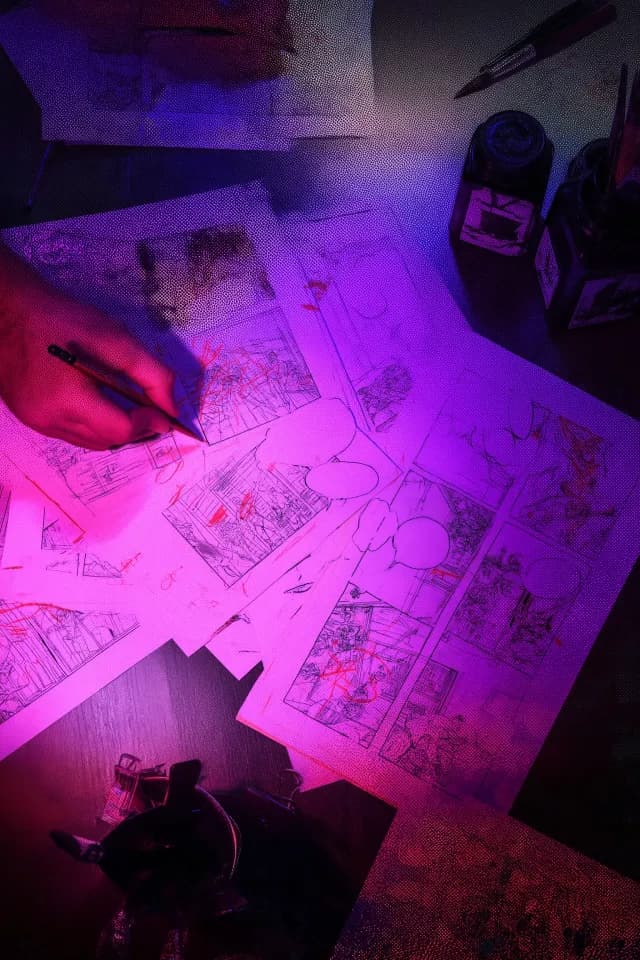
Behind every great comic is an editor you've never heard of. While artists and writers get the credit, it's the editor who shapes the reading experience — deciding how fast you turn pages, where your eye lands, and when a scene hits hardest.
Understanding what a comic book editor does isn't just academic. It's the key to understanding how AI comic book creation tools can (and can't) replicate the craft. Let's break down the toolkit.
The Page Turn: Comics' Most Powerful Tool
In prose, a chapter ending creates suspense. In film, a cut to black. In comics, it's the page turn.
The bottom-right panel of every right-hand page (recto) is the last thing a reader sees before turning. Professional comic book editors obsess over this position. It's where you put the cliffhanger, the reveal, the question that forces the hand to keep moving.
The rule: Never waste a page turn. Every right-page ending should make the reader need to see what's next.
How AI handles it: NarrInk's pacing engine identifies narrative tension points and maps them to page-turn positions. When your story has a reveal — a character's secret, a plot twist, a moment of danger — the AI places it at the bottom of a right-hand page. It's not random. It's editorial intelligence.
Panel Rhythm: The Heartbeat of a Comic
Panel count per page controls reading speed. More panels = slower reading. Fewer panels = faster. A splash page (one panel, full page) is a visual exclamation mark.
Professional editors think in rhythms:
- Establishing sequence: Wide shot → medium shot → close-up (3 panels, slow entry)
- Action sequence: Many small panels, diagonal gutters, overlapping elements (6–9 panels, fast pace)
- Emotional beat: Single panel, maybe borderless, lots of white space (1 panel, time stops)
- Dialogue sequence: Regular grid, alternating speakers (4–6 panels, steady rhythm)
The magic is in the transitions between these rhythms. Going from a 9-panel action page to a single silent panel creates whiplash — and that's exactly what you want after a fight scene resolves.
How AI handles it: The AI analyzes your story's emotional arc and assigns panel densities accordingly. Action scenes get dense, fast layouts. Quiet moments get space to breathe. The transition between them is smoothed by the same algorithms that understand narrative pacing.
The Silent Panel
The most powerful tool in a comic book editor's arsenal is silence. A panel with no dialogue, no narration, no sound effects — just a character's face, or an empty room, or a hand reaching for something.
Silent panels do what words can't. They let the reader project their own emotion onto the image. They create pauses that make the next line of dialogue land harder.
Inexperienced creators fill every panel with text. Great comic book editors remove it.
How AI handles it: NarrInk identifies moments in your story where emotion should be felt rather than told. A character receiving devastating news. A reunion after years apart. The calm before a battle. These get silent panels — the AI removes dialogue intentionally, trusting the visual to carry the weight.
Shot Selection: The Camera in Your Head
Comics don't have cameras, but they have "shots" — and the comic book editor selects them as deliberately as any cinematographer.
- Extreme wide: Establishes location, shows scale. Used for openings and transitions.
- Wide: Shows characters in their environment. Used for group scenes.
- Medium: Characters from waist up. The workhorse of dialogue scenes.
- Close-up: Face only. Emotion, reaction, emphasis.
- Extreme close-up: An eye. A hand. A detail. Creates tension and focus.
- Bird's eye / worm's eye: Dramatic angles for power dynamics.
The rule of thumb: vary your shots. Three medium panels in a row is visually monotonous. A good sequence might go: wide → medium → close-up → extreme close-up → cut to wide (new scene).
How AI handles it: The AI varies shot types based on narrative context. Introducing a new location triggers a wide establishing shot. Emotional dialogue gets close-ups. The algorithm avoids repetitive framing by tracking recent shot selections and ensuring visual variety.
Gutters and Grid: The Invisible Architecture
The white space between panels — the gutter — is invisible to most readers. But it controls time. Wider gutters slow things down. Narrow gutters speed things up. Overlapping panels eliminate the gutter entirely, creating urgency.
Grid choices also matter:
- Regular grid (2×3, 3×3): Orderly, calm, controlled. Good for dialogue.
- Broken grid: Panels of different sizes. Dynamic, energetic. Good for action.
- Borderless panels: Dreamlike, ethereal. Good for flashbacks and memories.
- Full bleed: Panel extends to page edge. Immersive, overwhelming. Good for scale.
How AI handles it: Grid selection is tied to scene type. Dialogue scenes get regular grids. Action breaks the grid. Flashbacks go borderless. The AI doesn't pick layouts randomly — it reads your story and selects the grid that serves each moment.
Why This Matters for AI Comic Book Creation
Most AI comic tools generate pretty pictures. That's not editing. Editing is the sequencing of those pictures — the rhythm, the pacing, the invisible architecture that makes a comic read instead of just being looked at.
When we built NarrInk, we didn't just train an AI to draw panels. We trained it to think like a comic book editor. Because a beautiful panel in the wrong place, at the wrong size, on the wrong page? That's not a comic. It's a gallery.
The difference is editorial intelligence. And that's what turns a collection of AI-generated images into a real comic book. Want to see this in action? Learn how to turn a novel into a comic book, or explore the difference between AI comic generators and hand-drawn art.